
Before and after.
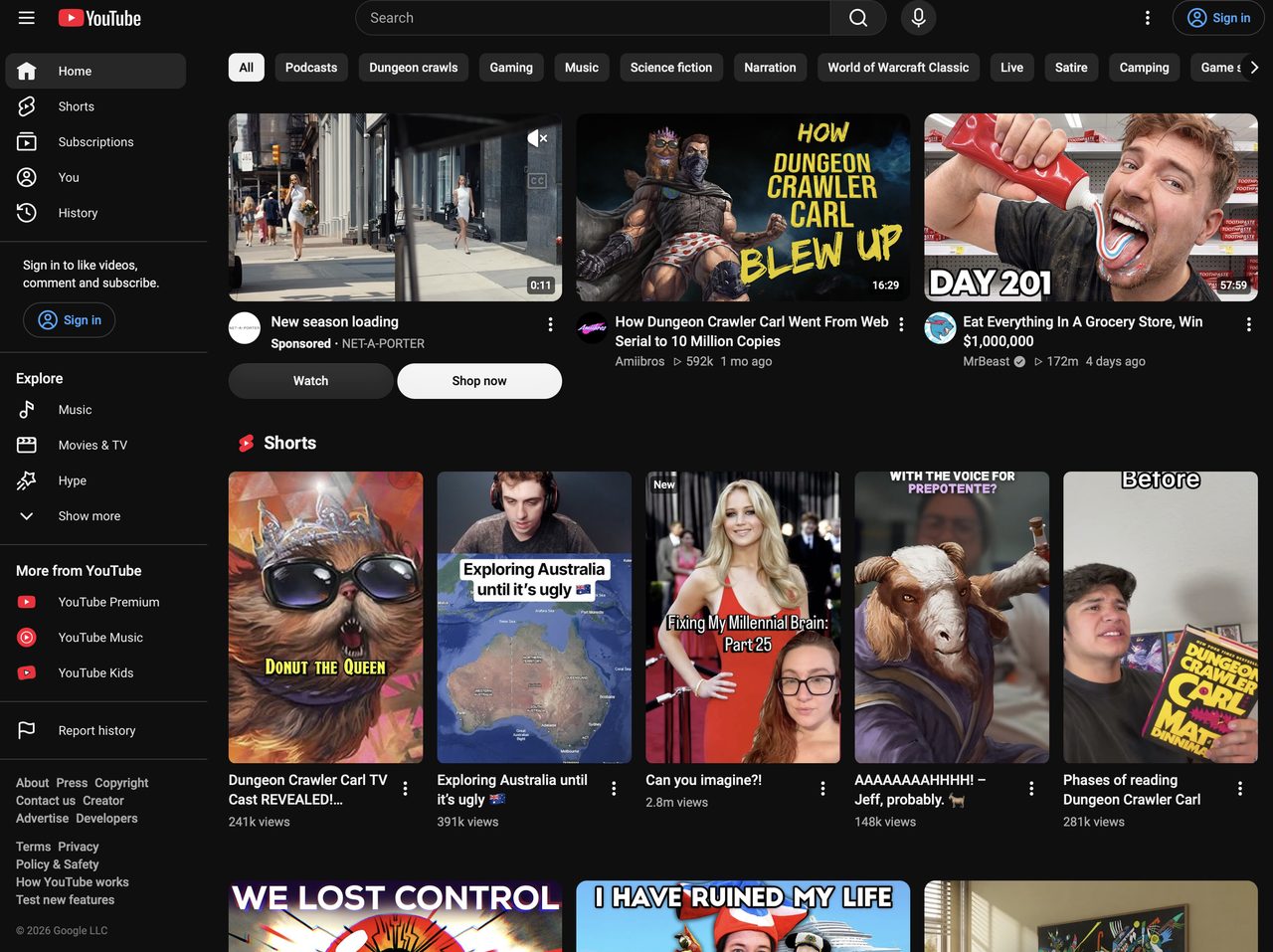

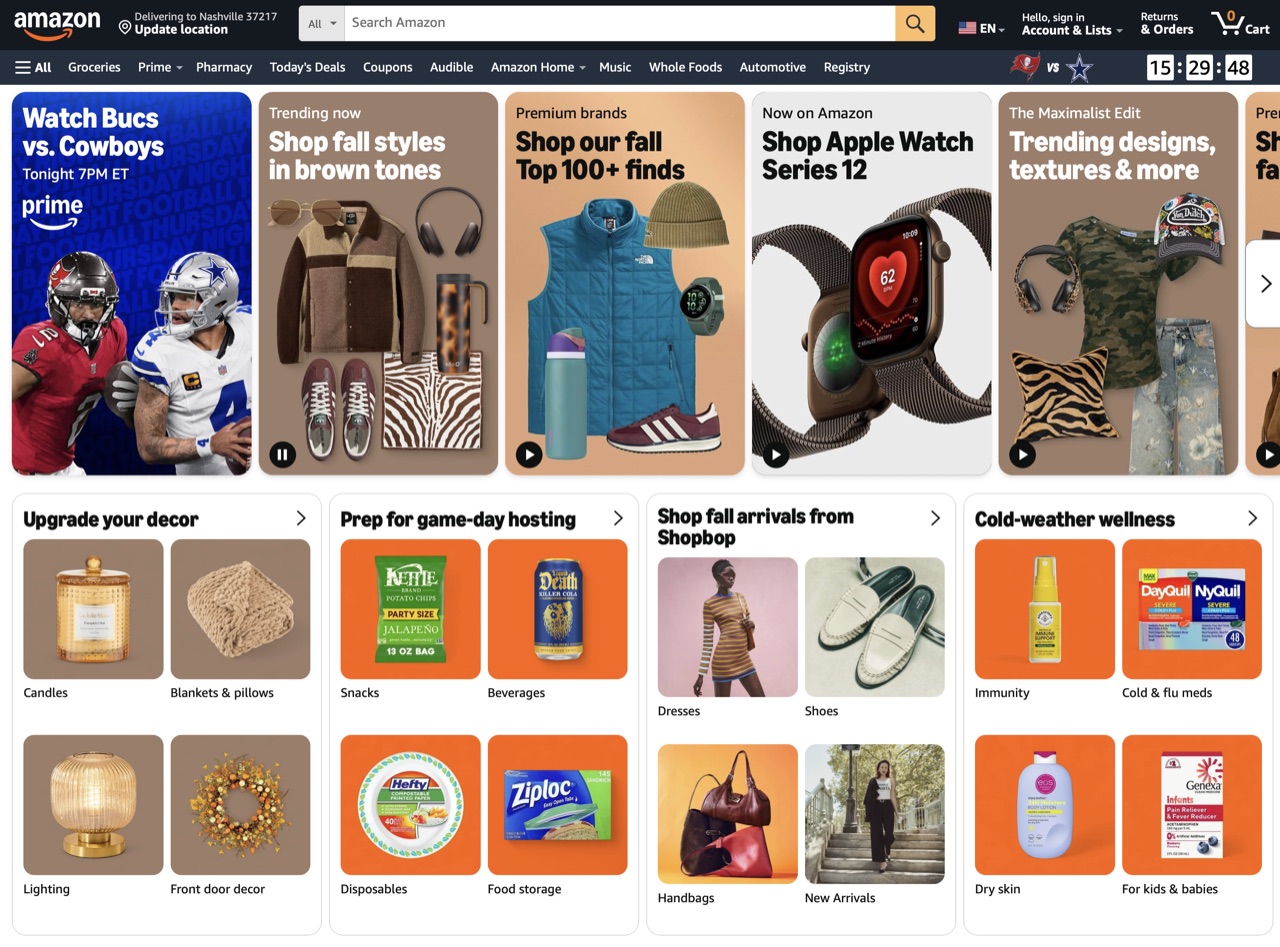

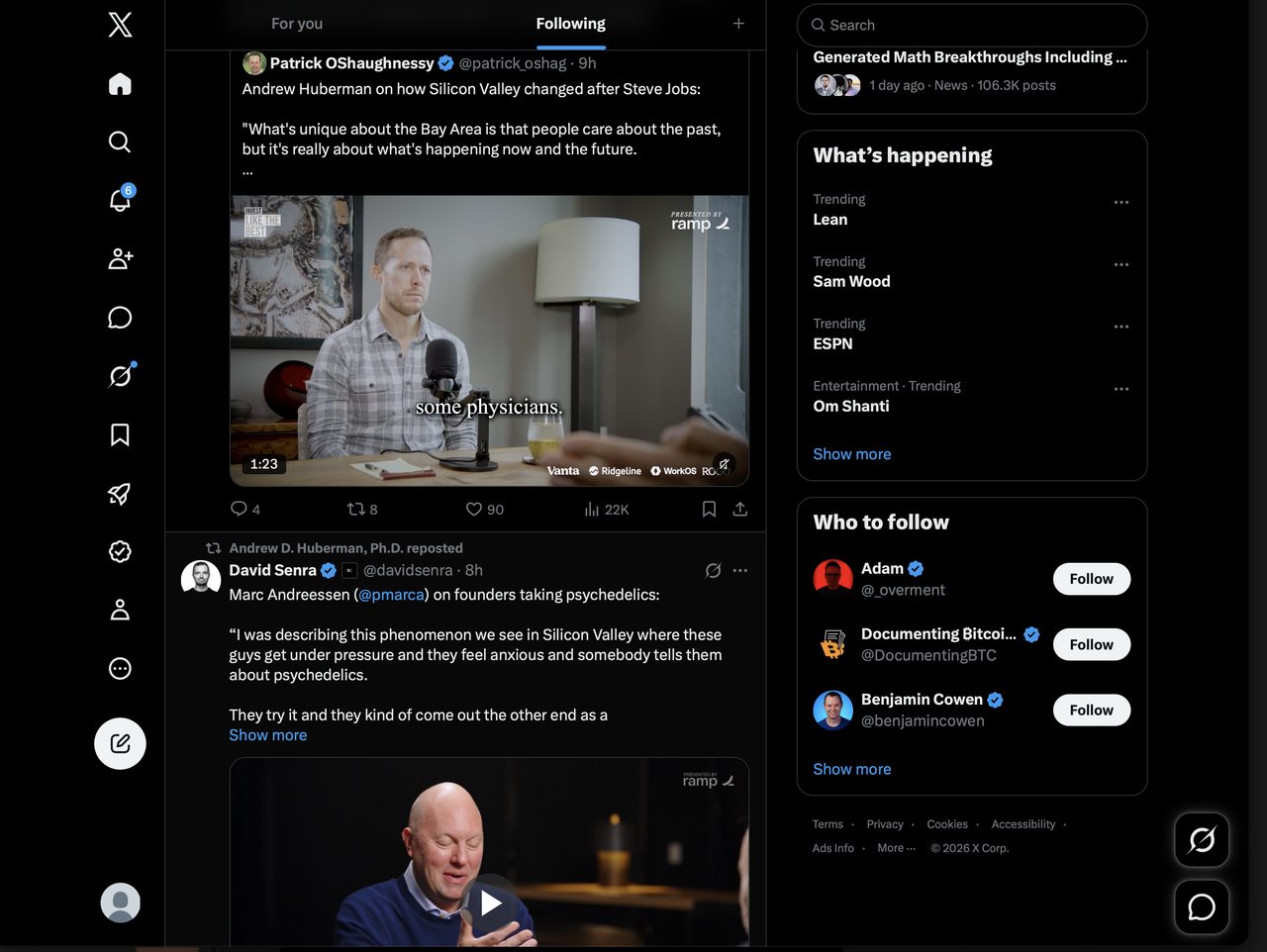
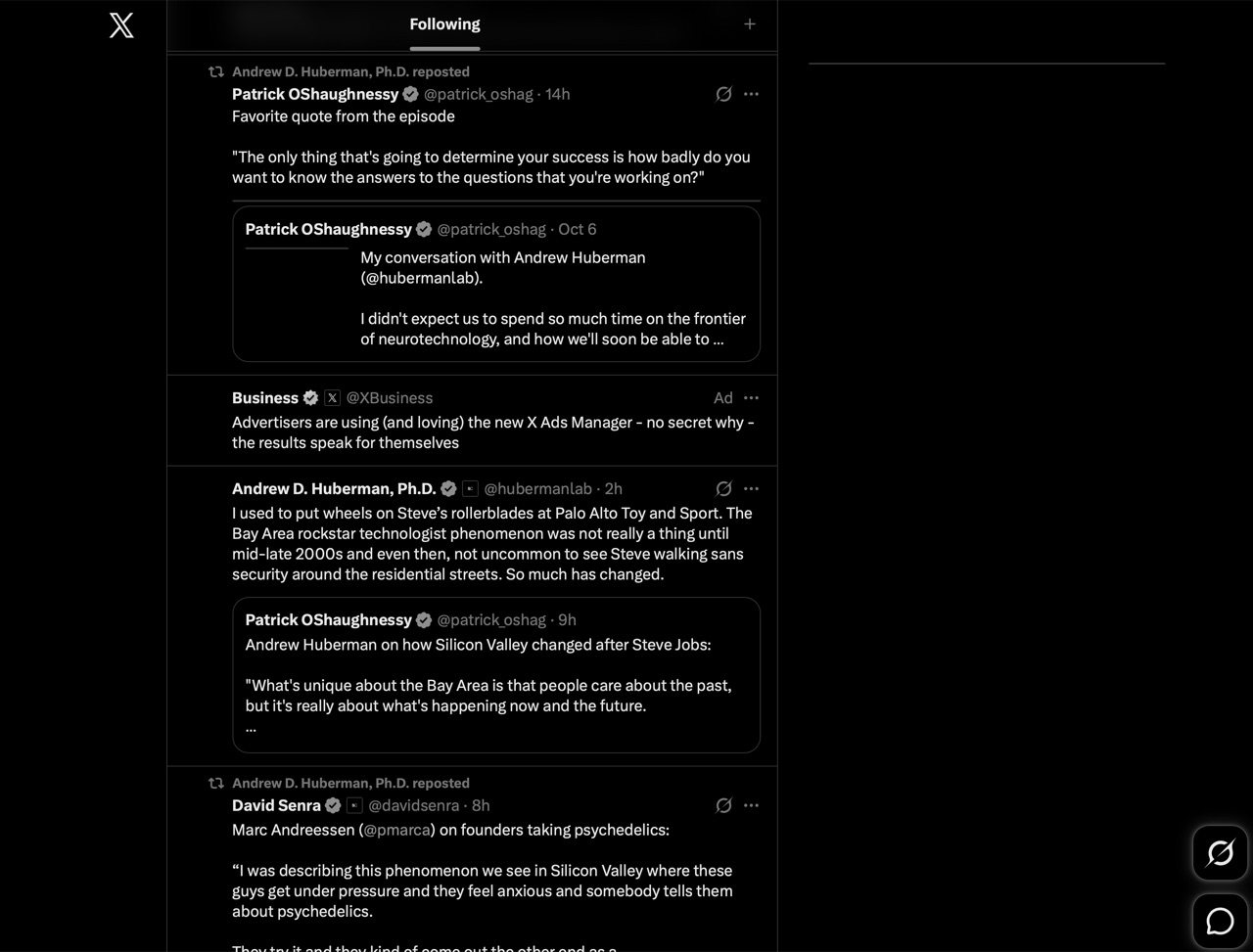
You can still send messages, view posts and use the website, but all of the addictive features are removed!
Multiple options for each website, allowing you to make it unique to your situation!
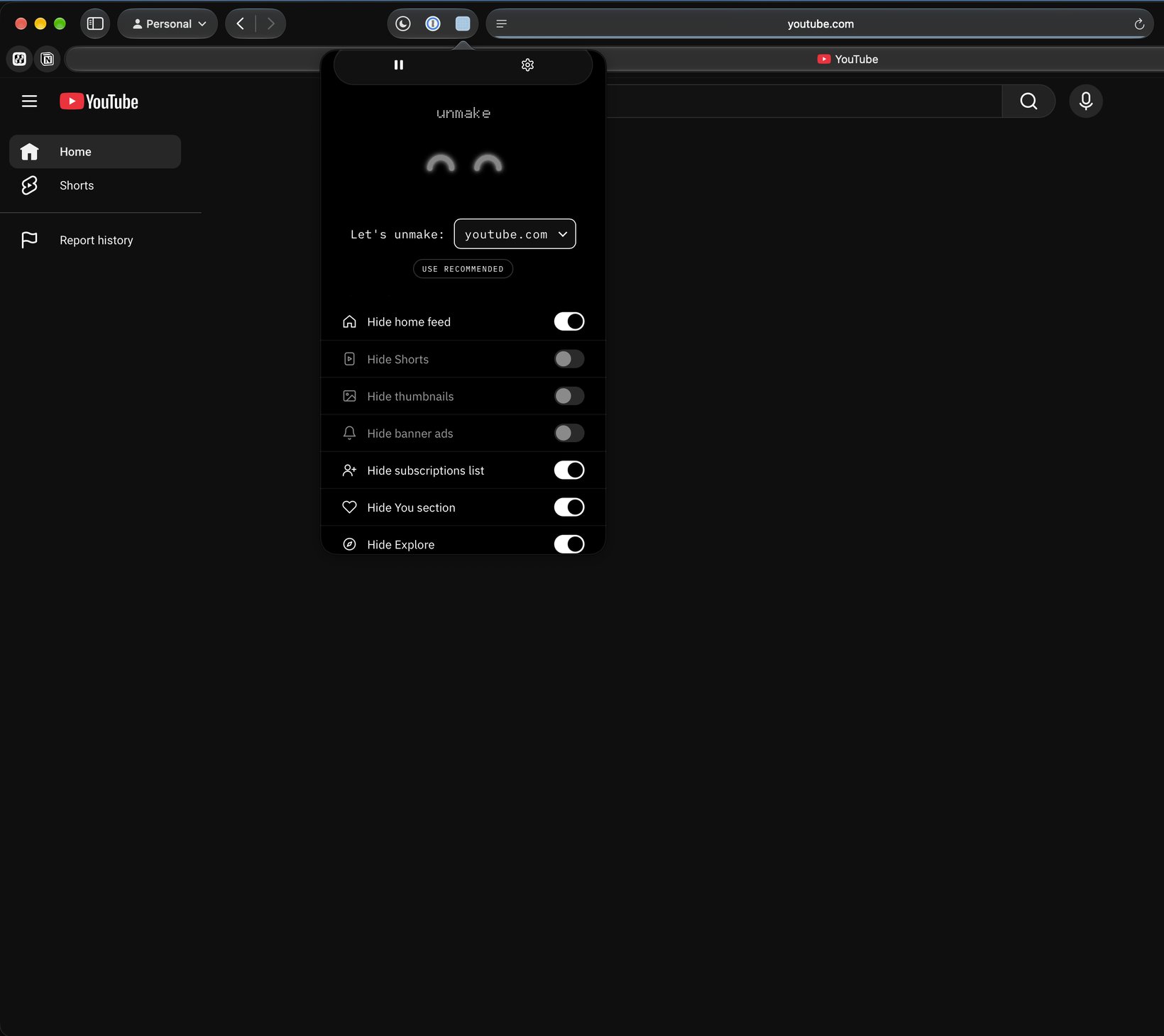
1 Open the extension on a supported site and pick what you don't want to see. Over 40 options across YouTube, Amazon and X.
2 Not sure where to start? Turn on the recommended settings and unmake picks the most distracting parts for you.
3 Need the full site back for a minute? Pause unmake and everything returns until you press play again.
Currently works on these websites.
1 youtube.com · Shorts, home feed, recommended videos + more.
2 amazon.com · Recommendations, sponsored products, deals + more.
3 x.com · For You, Trending, Who to follow + more.
Privacy Policy
Made by an Indie Developer. This app tracks nothing and no data is stored anywhere but on your device. There's no data tracking, analytics or anything like that in this app.
Help
Turn on unmake on Mac.
1 Open Safari and choose Safari › Settings from the menu bar.
2 Go to the Extensions tab and tick unmake.
3 Click Edit Websites and allow unmake on youtube.com, amazon.com and x.com.
4 Click the eyes in the Safari toolbar to open unmake.
Turn on unmake on iPhone and iPad.
1 Open Settings, then Apps › Safari › Extensions.
2 Tap unmake and switch Allow Extension on.
3 Under Permissions, allow unmake on youtube.com, amazon.com and x.com.
4 In Safari, tap the page menu in the address bar and choose unmake.
FAQ
1 unmake isn't doing anything on a site.
Make sure the extension is switched on in Safari and that unmake is allowed on that website. If the eyes show X X, unmake is paused. Press play to start it again.
2 Which websites does unmake work on?
YouTube, Amazon and X right now. Email us if there's a site you'd like added next.
3 How do I see the whole site again for a moment?
Open unmake and press pause. Everything comes back until you press play.
4 What does Gray mode do?
It turns the site black and white, which makes thumbnails and banners less eye-catching.
5 Does unmake collect any data?
No. There's no tracking or analytics, and your settings are stored only on your device.
Contact & Support
General questions or something that's not covered in the Help section or in the FAQ?
Email support@getunmake.app →
Want unmake on another website?
Email support@getunmake.app →